Version · MIT
QiYaa
Yandex Music, Spotify and your own files in that player from the 2000s.
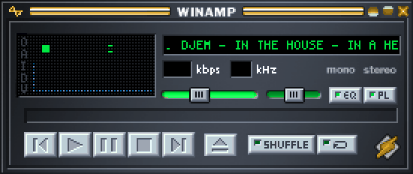
Listen to My Vibe, Spotify and your own mp3 and FLAC, sing along to the lyrics and change skins. A native C++ and Qt 6 app, fast and light. There’s an Android version, and there’s the jam, which should have existed long ago.
LinuxWindowsmacOSAndroid· free and open source
Get it
Ready-made builds are on GitHub Releases, and the buttons download the latest one. How to install: docs/install.md (in Russian).
Build it
You need CMake 3.21+, a C++20 compiler and Qt 6.4 or newer. Other systems: docs/building.md.
Ubuntu 24.04
git clone --recurse-submodules \
  https://github.com/Kickoman/QiYaa && cd QiYaa
sudo apt install build-essential cmake ninja-build \
  qt6-base-dev qt6-tools-dev qt6-l10n-tools \
  libqt6opengl6-dev libgl-dev qt6-websockets-dev
cmake -S . -B build -G Ninja \
  -DCMAKE_BUILD_TYPE=RelWithDebInfo
cmake --build build && ./build/QiYaa
Features
- 1. Log in with a code, no password in the app
- 2. My Vibe, Wheel of vibes, stations and search
- 3. Liked, playlists, albums, artists
- 4. Spotify Premium: Liked Songs, playlists, radio
- 5. Your own mp3, FLAC, WAV, AAC and Ogg, with tags and covers
- 6. Lyrics from Yandex, .lrc files and LRCLIB
- 7. After a playlist, a vibe from its tracks
- 8. .wsz skins: built-in and your own
- 9. 10-band equalizer with presets
- 10. Spectrum, oscilloscope and Milkdrop
- 11. No gaps between tracks
- 12. Economy: a third of the data
- 13. Media keys and the system player
- 14. Windows dock like in the original Winamp
- 15. Jam: a shared play queue for a party
- 16. Belarusian, Russian and English
FAQ
- How do I log in?
- QiYaa shows a code, and you confirm it in a browser at ya.ru/device. You never type your password into the app. If Yaamp was installed before, QiYaa picks up its login by itself.
- Where do I get skins?
- Any skin in the classic .wsz format works, for example from the skins.webamp.org archive. Load the file from the player’s menu, and QiYaa will remember it.
- Do I need Spotify Premium?
- Yes: Spotify lets other apps play only with Premium. Log in with a code at spotify.com/pair or in the browser, and QiYaa never sees your password. For now, Spotify is on the computer only.
- Where do the lyrics come from?
- From Yandex Music, from an .lrc file next to the track or from the file’s own tags. Turn on Lyrics from LRCLIB in the menu, and QiYaa also looks in the open LRCLIB database: there the lyrics almost always have timestamps, and the line follows the music.
- Do jam guests need Yandex Music?
- No. A guest in a browser searches through the host’s account, and the music plays at the host’s; to listen along on their own phone, the host has to allow it. A guest in QiYaa for Android searches with their own account and adds tracks from their own likes and playlists.
- What does QiYaa send about itself?
- Releases send anonymous usage statistics and crash reports, to show what breaks. Track titles, searches, tokens and account names are never sent. One switch, Send statistics, turns it off. Details: docs/telemetry.md (in Russian).
- Is this an official client?
- No. QiYaa is an independent open-source project, connected with neither Yandex nor Spotify.
Jam
A shared play queue for a party: friends add tracks from their phones, and the music plays from QiYaa on your device.
-
1Start
Start a jam in QiYaa on your computer or phone and pick the name the guests will see. Your own queue stays and plays on.
-
2Invite
Show the QR code or send the link. Guests need neither the app nor a Yandex account: a browser is enough. A guest with QiYaa for Android can also add tracks from their own likes and playlists.
-
3Add tracks
Guests search Yandex Music and add tracks to the queue. They play in turns, one from each guest, or in the order they were added.
-
4Jam vibe
The guests’ tracks go ahead of your queue, and when they run out, your queue plays on. If it has no vibe of its own, the jam vibe follows, picked to match what the guests added.
Listen here
If the host allows it, a guest taps Listen here and hears the same music on their phone, roughly in time with the host.
Up to 30 guests in a jam. The host decides the order, whether guests may skip and who gets in. On the computer, your own files and Spotify tracks play in the jam too: guests see the title and the artist. The jam server is open source too: Kickoman/QiYaa-jam.
Android
QiYaa for Android: the same Yandex Music in your pocket. Instead of skins it has an interface of its own: dark panels, LED read-outs and one accent colour.
- My Vibe, Liked, For you, Wheel of vibes, playlists, artists, albums, stations, search
- 10-band equalizer with 17 presets, spectrum and oscilloscope
- Plays in the background: controls, like and dislike in the notification, headset buttons
- Economy for Wi-Fi and mobile data separately
- After a playlist, a vibe from its tracks
- Jam: host one right from the phone or join someone else’s as a guest
- Belarusian, Russian and English
Spotify, lyrics and your own files are on the computer only, for now.
Android · Version
Android 8.0 or newer. The APK is on GitHub Releases, not on Google Play: when Android asks, allow installing from this source. Every release is signed with the same key, so a new APK installs over the old one.